Crossfade, Gapless, Automix, and Skip Silence on iPhone
Choose how one local track hands off to the next: fade between songs, preserve album transitions, advance near the ending, or trim silence.
In this article Open
The end of one track can fade, connect seamlessly, advance early, or lose unwanted silence. Those choices sound similar in a settings list, but they solve different listening problems.
OfflineTunes offers Crossfade, Gapless, Automix, and Skip Silence on iPhone. These flow modes are mutually exclusive because each one needs control of the handoff between tracks.
Four Modes, Four Different Jobs
Gapless removes the pause between files, making it the natural choice for live albums, classical movements, DJ mixes, and records designed as one continuous program.
Crossfade overlaps endings and beginnings for a chosen duration and curve. Automix advances near the end for a quicker queue flow. Skip Silence trims quiet sections when dead air is the problem.
Crossfade Duration and Curve Change the Feel
A short crossfade can soften a hard boundary without drawing attention. A longer one creates an obvious blend and works better for party queues than carefully sequenced albums.
OfflineTunes also lets you choose a curve. Equal-power behavior aims for a smoother perceived level through the overlap, while a linear curve changes both tracks more directly. Test with normal listening volume rather than choosing by label alone.
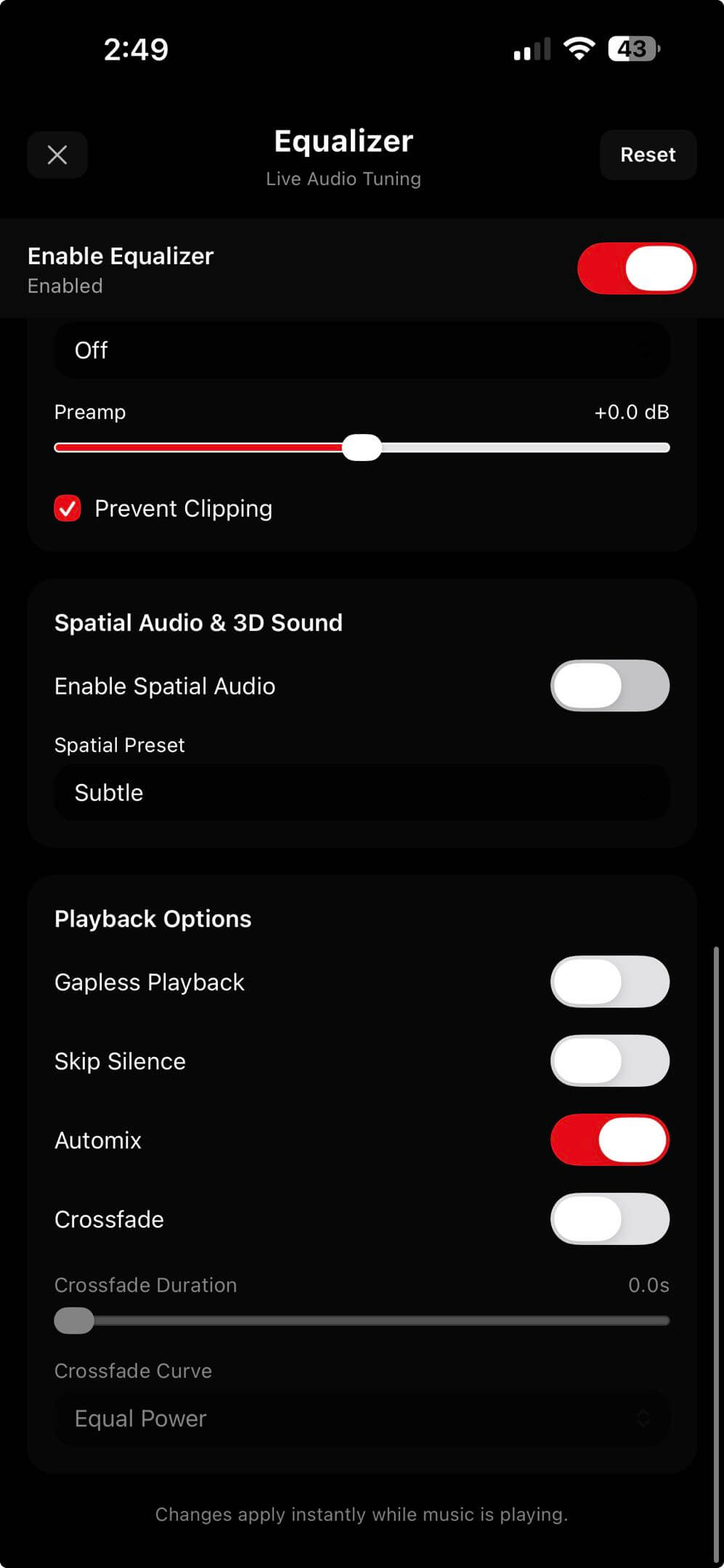
Choose a Mode by Album, Queue, or Use Case
Gapless is usually the safest default for albums that were mastered without pauses. Crossfade is better for mixed playlists where unrelated songs need a gentler handoff.
Automix suits casual discovery and long queues. Skip Silence is specialized: turn it on when files contain silence you genuinely want removed, not when intentional quiet is part of the recording.
- Concept album: choose Gapless.
- Workout playlist: try Crossfade or Automix.
- Live bootleg: start with Gapless.
- Talk or files with long dead air: try Skip Silence.
Why Bit-Perfect Mode Turns Playback Flow Off
Fades, early transitions, silence detection, spatial processing, and EQ all alter or process the signal path. Bit-Perfect mode has the opposite goal: preserve the original signal without those transformations.
OfflineTunes therefore disables playback-flow processing while Bit-Perfect is active. Decide which outcome matters for the session: untouched output or shaped transitions. Neither is universally correct.
- 1Identify the material.Album, live set, mixed playlist, or talk recording?
- 2Choose one mode.Gapless, Crossfade, Automix, and Skip Silence do not run together.
- 3Test a boundary.Skip near the end of a representative track and listen through the handoff.
- 4Revisit for special albums.One library-wide choice will not suit every recording.