Smart Playlists 101: Let Your Music Library Organize Itself
Smart playlists use rules instead of manual dragging, so your local library can build fresh mixes from ratings, plays, dates, genres, and more.
In this article Open
Smart playlists are playlists built from rules instead of manual dragging. You define the logic once, and the list updates from your library data. That can mean songs rated 4 stars or higher, tracks added this month, unplayed albums, favorites from the 1990s, long road-trip songs, or anything else your metadata can describe.
They are powerful because they make a local library feel alive. Streaming apps get attention for algorithmic mixes, but your own library already has signals: ratings, play count, date added, genre, year, album artist, favorites, and skips. Smart playlists let those signals work for you.
What Smart Playlists Are
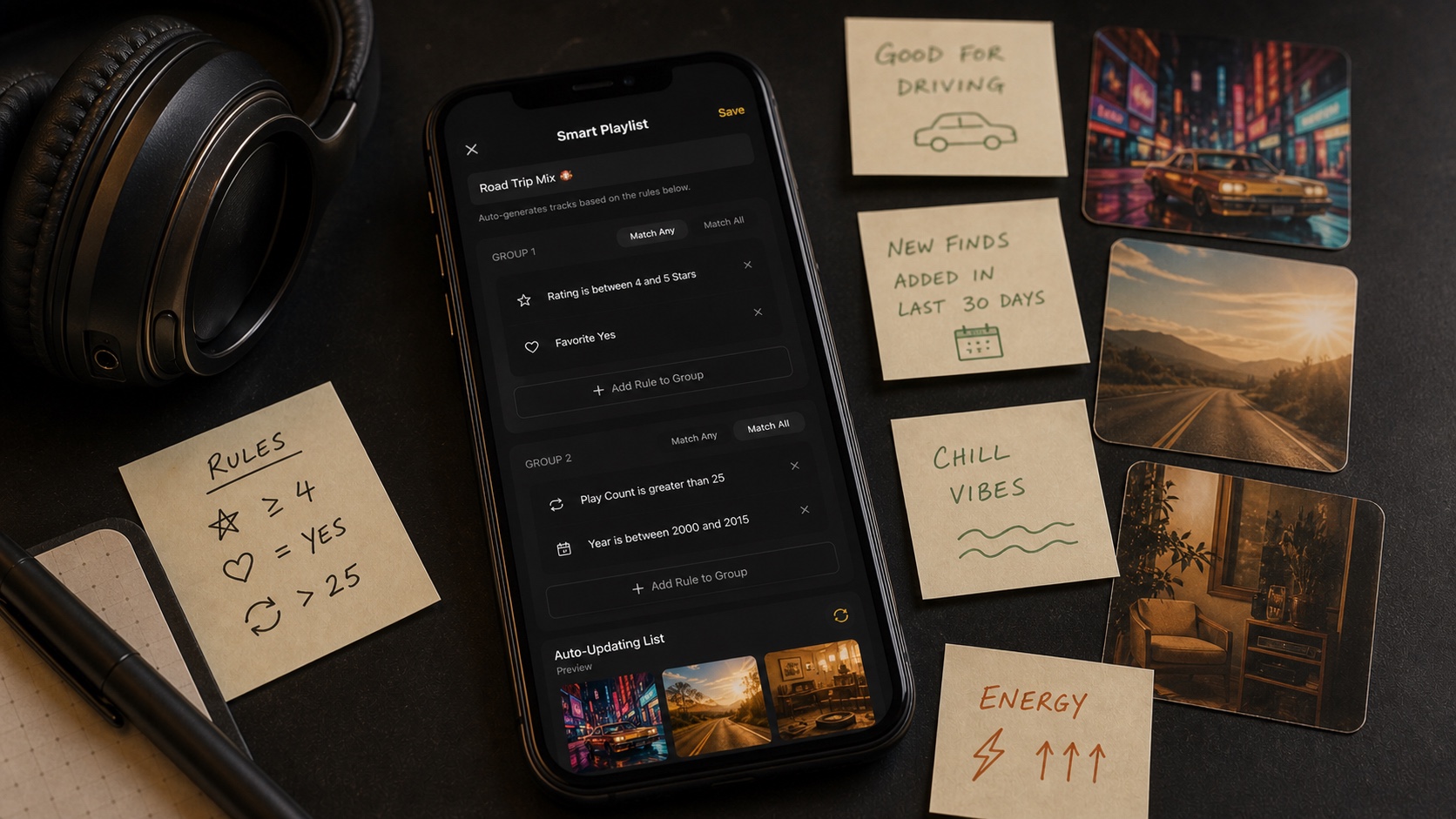
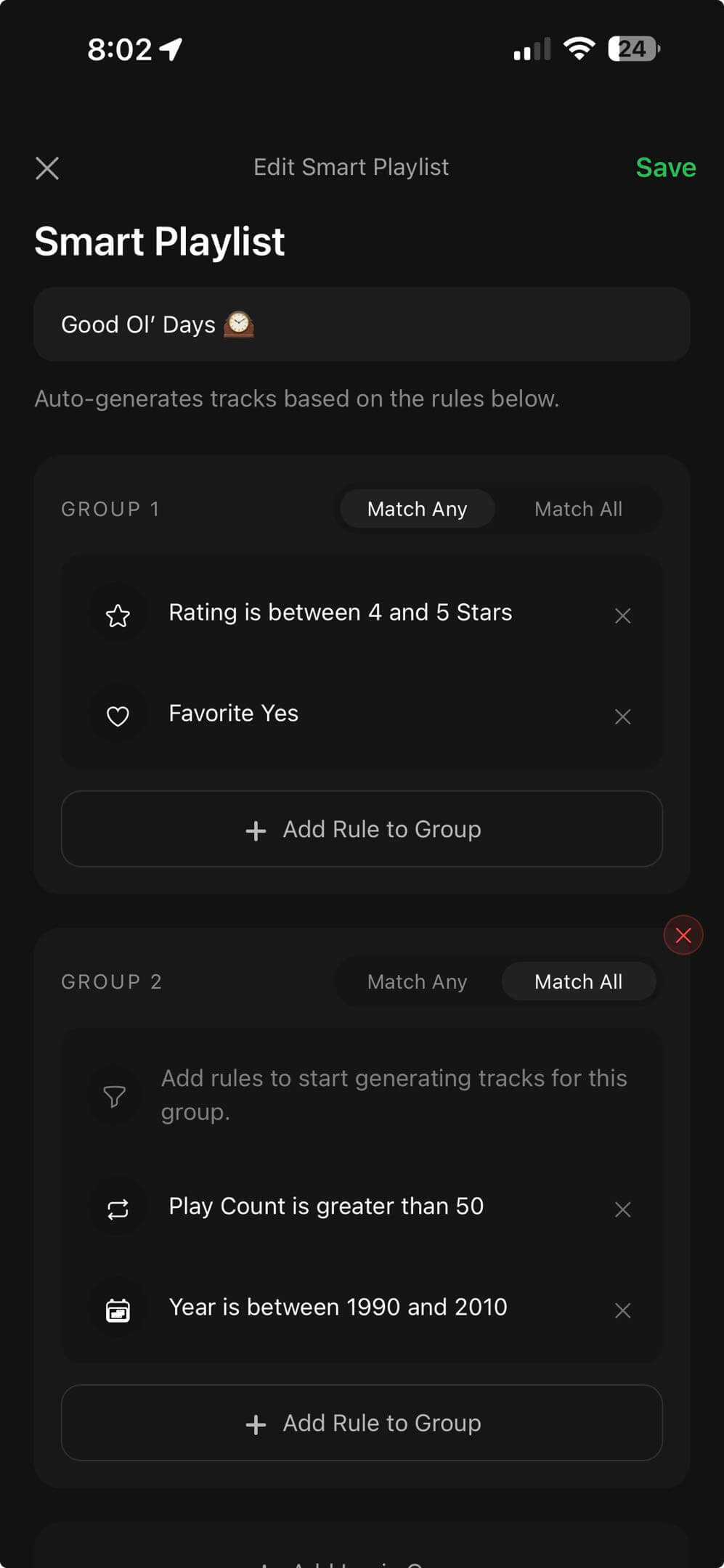
A normal playlist is a fixed list. You add tracks, remove tracks, and maintain it by hand. A smart playlist is a question: “Show me songs where rating is at least 4, favorite is yes, and play count is over 25.” When the library changes, the answer changes.
That makes smart playlists perfect for large offline libraries. You do not have to remember every song you bought, ripped, imported, or forgot. The rules surface them when they match.
Why Smart Playlists Work So Well for Local Music
Local libraries age. You add albums, forget songs, fix tags, rate tracks, skip others, and build habits without noticing. Static playlists rarely keep up. Smart playlists do because they respond to the metadata you create while listening.
They also solve a different problem than recommendations. A streaming recommendation tries to guess what you might like from a giant catalog. A smart playlist asks your own library a clear question. That feels different. It is discovery without surrendering ownership.
Rules That Matter Most
Start with the rules you already understand. Rating, favorite, play count, date added, year, genre, and format cover most useful mixes. Then combine them with Match Any or Match All. Match Any makes a wider net. Match All makes a stricter list.
- Rating: keep your best tracks close without building a favorites playlist by hand.
- Date added: make recent imports easy to review.
- Play count: find heavy rotation, neglected gems, or songs you never tried.
- Year and genre: create eras, moods, and collection slices.
- Format: split FLAC, MP3, M4A, or other groups when needed.
Why OfflineTunes Includes 100+ Smart List Presets
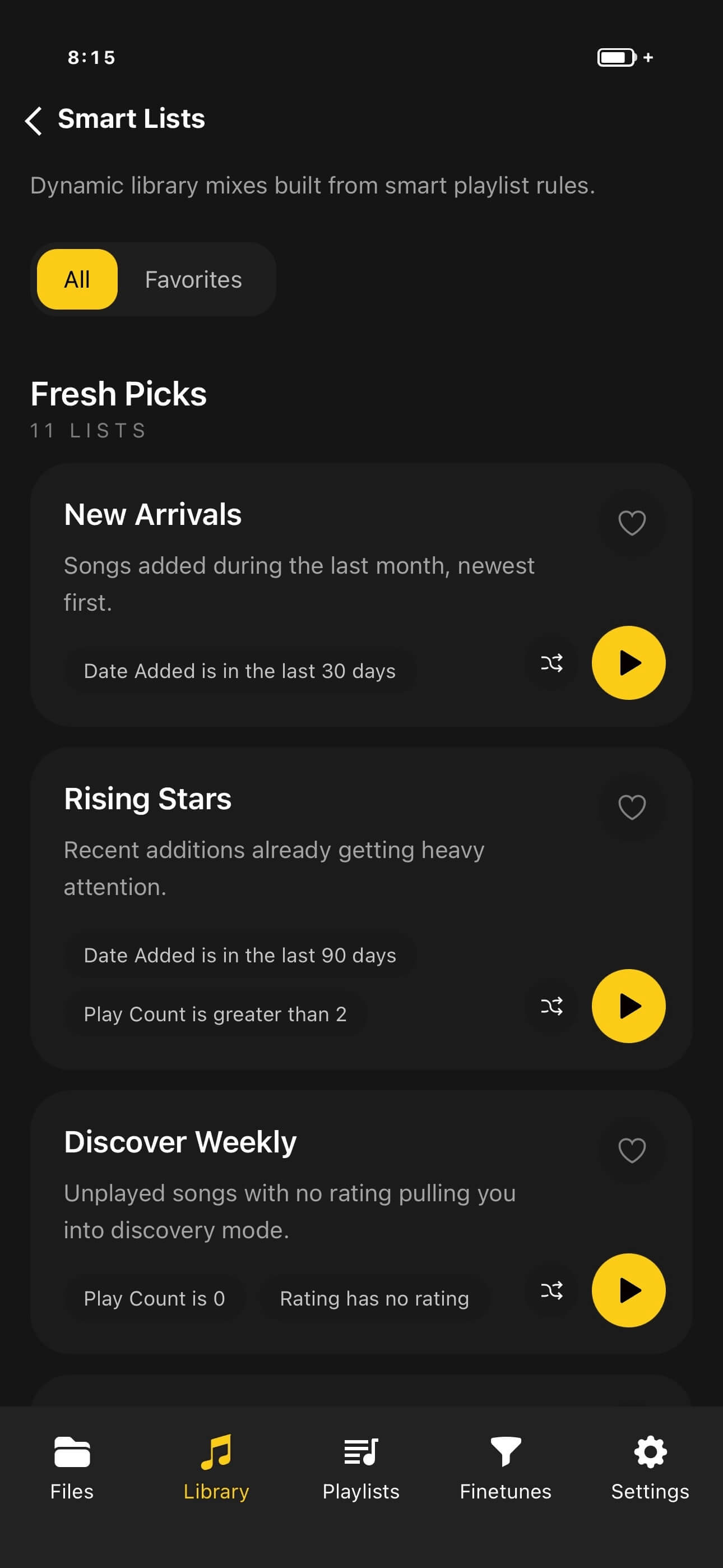
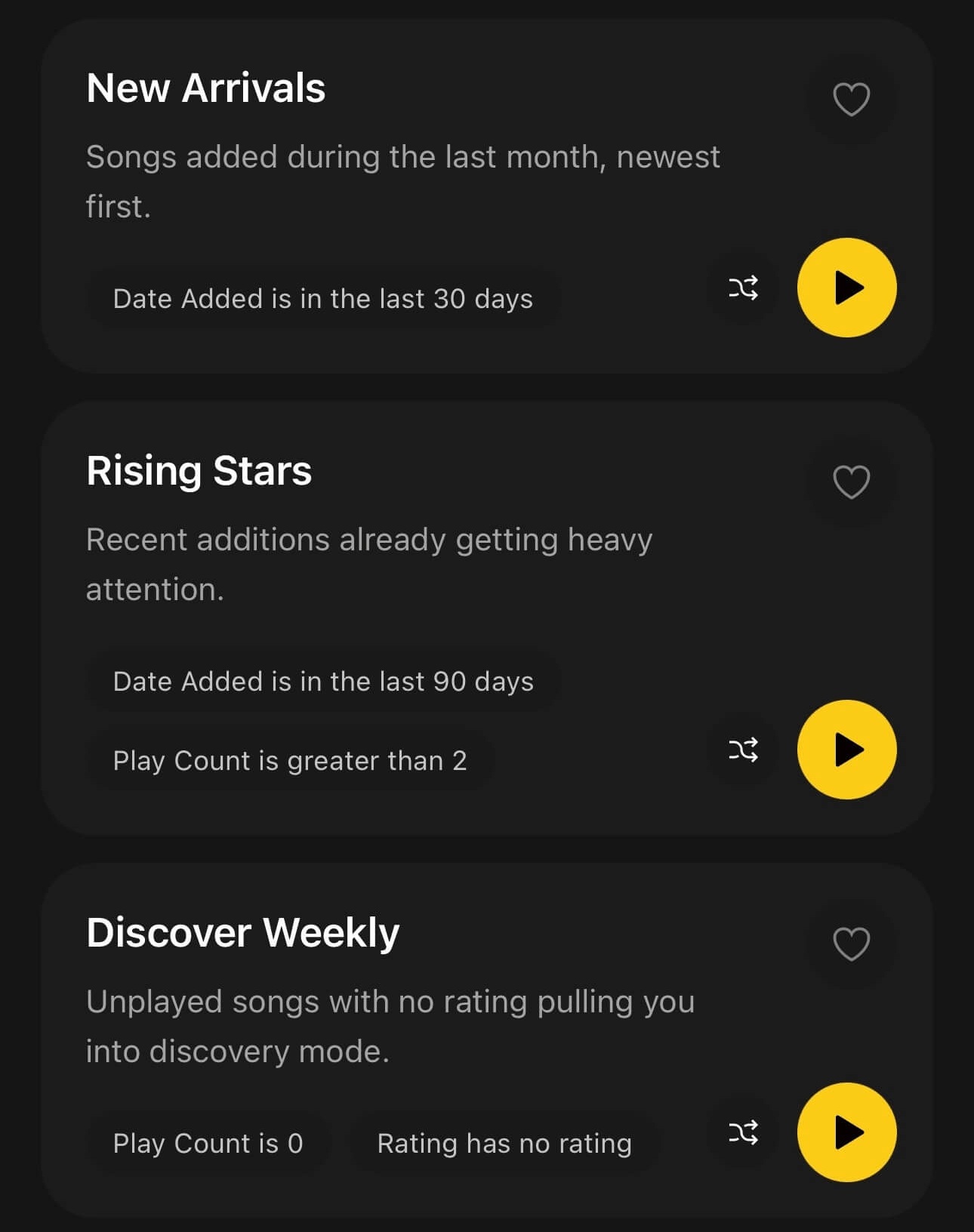
Blank rule builders can be intimidating. OfflineTunes includes 100+ Smart List Presets so you can start with useful ideas instead of a blank screen. Presets such as New Arrivals, Rising Stars, Discover Weekly-style discovery, Top Rated, Recently Played, Deep Cuts, Road Trip, and Missing Artwork give you a starting point you can use or adapt.
The best part is that presets teach the system. Once you see how one list combines rules, you can build your own. A library that used to feel static starts producing fresh shelves automatically.
Three Starter Smart Playlist Recipes
Use recipes that solve real listening problems. If a rule is clever but you never play it, it is decoration. Start with lists that make your library easier tomorrow.
- 1New imports to review.Date added in last 30 days, sorted newest first.
- 2Reliable favorites.Favorite is yes, rating 4 or 5, play count above 10.
- 3Forgotten lossless albums.Format is FLAC, play count is low, date added is older than 90 days.
Verdict: Smart Playlists Make Owned Libraries Feel Alive
Smart playlists are not just a power-user trick. They are how large local libraries stay fresh without giving up control to streaming recommendations. Your own ratings, dates, plays, favorites, years, formats, and tags become the engine.
If you want your iPhone music library to organize itself without becoming someone else’s catalog, smart playlists are one of the highest-leverage features you can learn.