Nested Playlist Folders on iPhone: Organize Playlists Inside Playlists
Build folders inside folders, keep large playlist collections readable, and play an entire branch when one playlist is too narrow.

In this article Open
Ten playlists can live in one list. A hundred need structure. Workouts, years, genres, people, projects, and archived versions quickly turn a flat playlist page into another search problem.
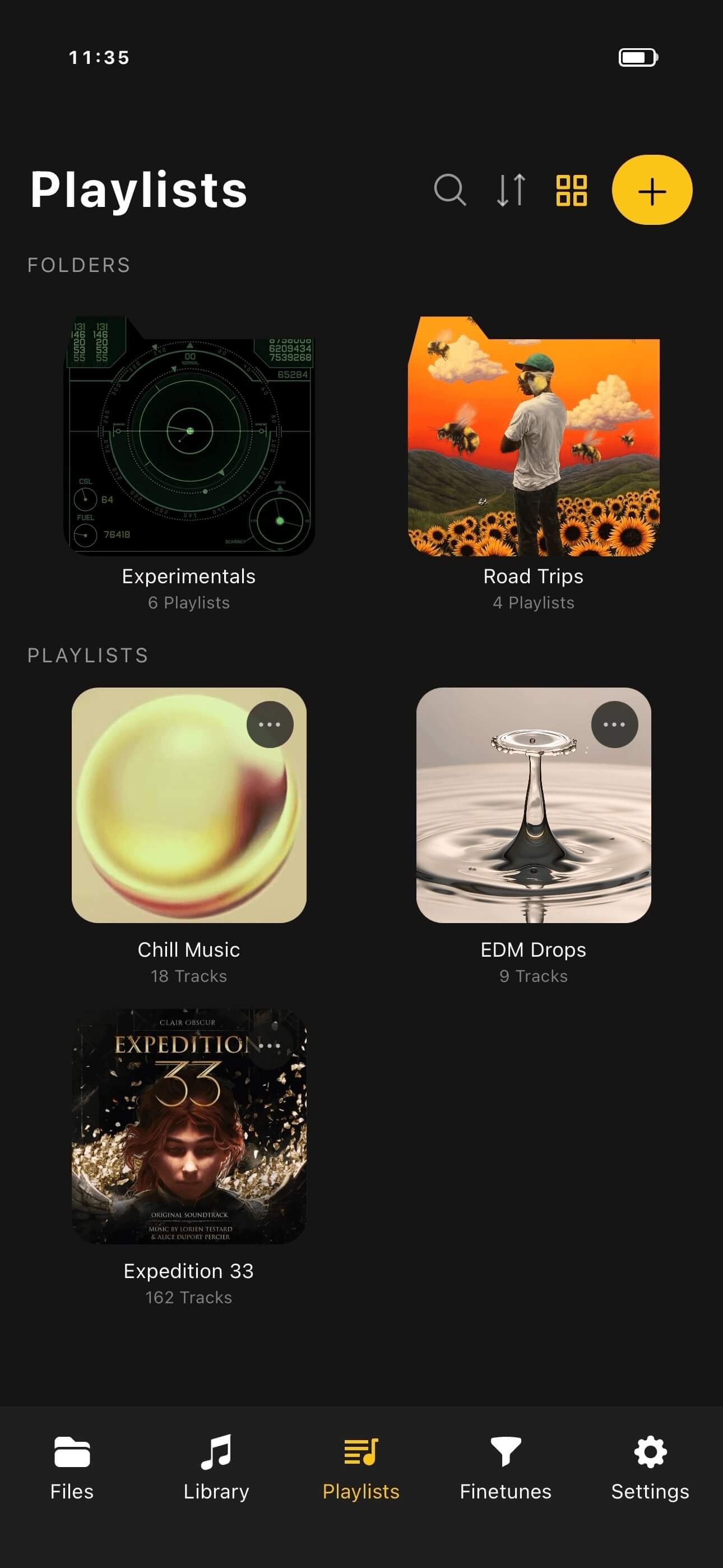
OfflineTunes supports nested playlist folders on iPhone. Put folders inside folders, move playlists into meaningful branches, and play a complete structure when the folder itself represents a listening session.
Choose One Clear Top-Level Strategy
Top-level folders should answer the first question you usually ask. That might be activity—Drive, Focus, Workout—or ownership—Mine, Family, Shared. Another library may work better by year or broad genre.
Avoid mixing every strategy at the root. A clear first layer makes deeper nesting useful instead of arbitrary.
Use Depth Only When It Clarifies
Nested folders are powerful, but six layers can become slower than search. Add a level when it separates groups you browse repeatedly, not because every playlist needs a unique path.
Two or three levels usually cover a large collection: Activity / Workout / Strength, or Year / Season / Event. Keep names short and consistent so the hierarchy scans quickly on a phone.
Play an Entire Folder Structure
Sometimes a folder is the playlist. A “Long Drive” folder may contain several mixes for different passengers and energy levels. Playing the whole branch creates a broader session without manually merging lists.
This is also useful for archived yearly favorites, a multi-part party plan, or several study playlists that should rotate together. The hierarchy organizes; whole-folder playback turns that organization back into music.
- Play one playlist: exact theme and membership matter.
- Play one folder: several related playlists should become one session.
- Use Smart Lists: rules should update membership automatically.
- Use Multi-Queue: separate sessions should stay ready at the same time.
Keep the Folder Tree Healthy
Archive finished event playlists instead of leaving them beside active ones. Merge duplicate folders, fix inconsistent naming, and move abandoned experiments into one review branch.
A quarterly cleanup is enough for most libraries. FineTune can improve track membership, while playlist folders improve the navigation around those lists.
- 1Pick the root strategy.Organize first by activity, year, genre, people, or another stable idea.
- 2Create only useful levels.Nest when a repeated browsing choice needs separation.
- 3Move related playlists.Use consistent names and avoid duplicate branches.
- 4Test whole-folder playback.Confirm the combined session matches the folder’s purpose.